WhatsApp Business API (WABA) explained for Malaysian SMEs
What WABA means, what you need to sign up, how templates and the 24-hour window work, how Meta charges per message, and when a QR quick start is enough.
If your shop, clinic or tuition centre runs on WhatsApp, someone has probably told you to move to the API. This guide explains what that means for a Malaysian SME: what WABA is, what you need to sign up, Meta’s rules on templates, timing and charges, and when a QR quick start is enough.
Three ways businesses use WhatsApp
- The WhatsApp Business App on a phone. Free, with a business profile, labels and quick replies. It works until chats pile up after a sale or a new school intake.
- The same number connected to a tool by scanning a QR code. You scan a code in a dashboard such as MacroWA, and within minutes your team can reply, automate and run campaigns.
- Meta’s official WhatsApp Business Platform, also called the Cloud API. Your number is registered with Meta, conversations you start use approved templates, and Meta bills you per message. This is what people mean by “the WhatsApp Business API”.
What WABA actually means
WABA stands for WhatsApp Business Account: the account inside Meta that holds your API number, your message templates and your billing, under your Meta business portfolio.
Meta split it in two in late 2026. Meta Business Suite now shows a WhatsApp account (your number and profile) and a Messaging account (templates and billing) in separate tabs. Meta moves your existing account over, so there is nothing to do.
What you need to get started
- A Meta business portfolio, which you can create during sign-up.
- A phone number you own that can receive an SMS or call for the verification code. A number already on WhatsApp must be deleted from WhatsApp first, unless it is on the WhatsApp Business App and you use coexistence.
- A display name. Meta checks it against its guidelines and can reject it, so use the name on your signboard or website.
- A payment method in Meta’s Billing Hub. You pay Meta directly for billable messages. MacroWA does not resell them.
Business verification is optional at first, but it raises your messaging limit and is needed for the verified badge.
Embedded Signup and coexistence
Embedded Signup is Meta’s own sign-up window, opened from your provider’s dashboard. You log in on Meta’s side, choose a business portfolio, verify your number and enter a display name. Meta states that you own the assets this creates.
Coexistence keeps the WhatsApp Business App working on the same number, so a car-rental agent can still chat with regulars from the phone while booking enquiries land in the shared Inbox. Before you switch it on:
- You need WhatsApp Business App version 2.24.17 or newer.
- Up to six months of chat history can be synced, if you allow it.
- Messages sent from the app stay free. API messages follow Meta’s pricing.
- Broadcast lists become read-only, and disappearing messages, view once and live location are turned off in one-to-one chats.
- Linked devices are logged out once. You can link them again, except WhatsApp for Windows.
Message templates and approval
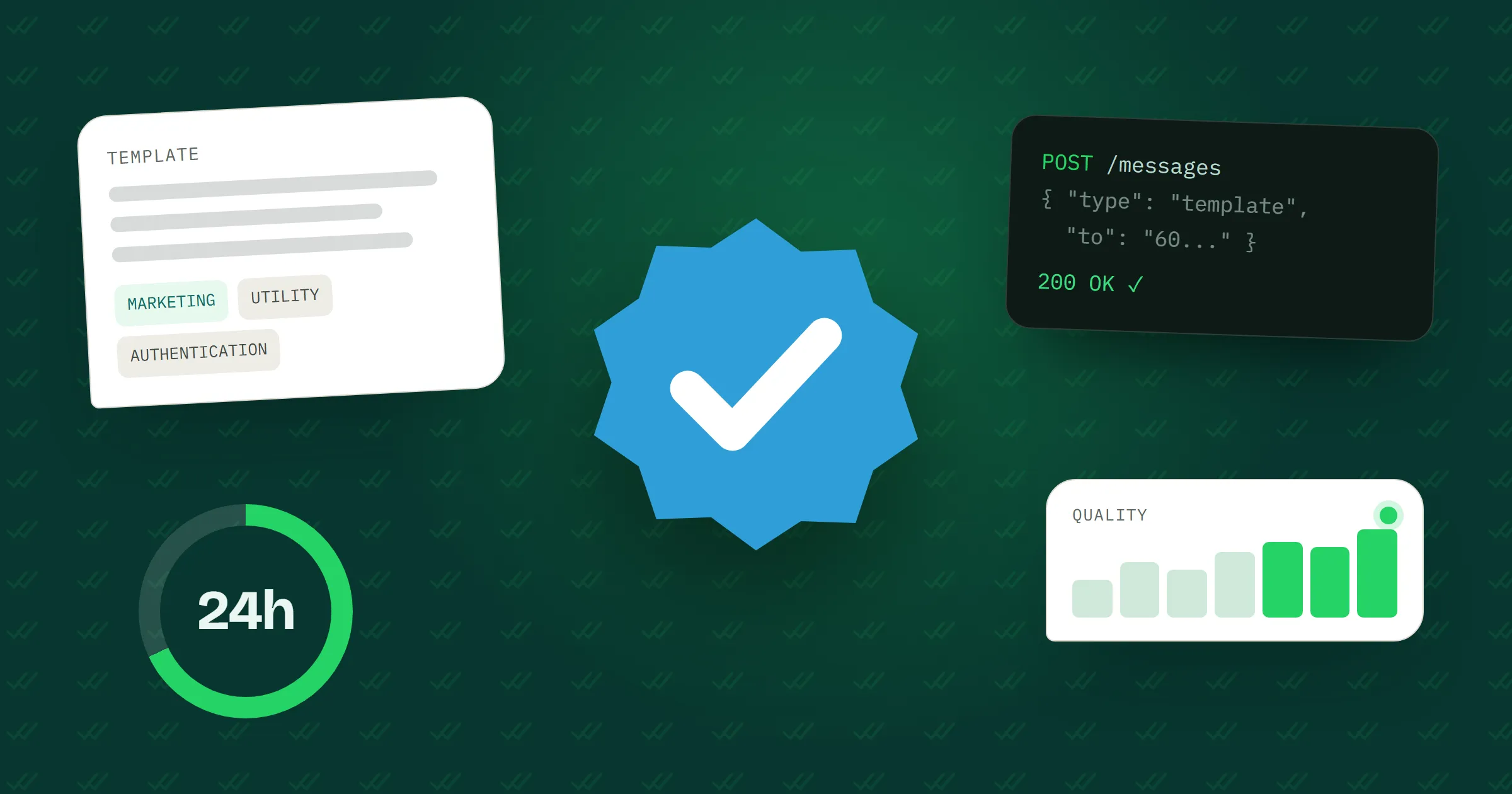
Outside the 24-hour window, you can only message a customer with a template Meta has approved. There are three categories:
- Marketing: promotions, new arrivals, a Raya sale. An order update with a promo added counts as marketing too.
- Utility: non-promotional messages about something the customer did or asked for, such as order confirmations and appointment reminders.
- Authentication: one-time passcodes.
For a tuition centre, “Aiman’s Add Maths class is tomorrow at 4 pm” is utility. “Join our year-end revision camp at the early-bird price” is marketing, even to the same parent.
Meta’s review can take up to 24 hours. Common rejection reasons include badly formatted variables, duplicate templates and asking for a full IC number. You can edit and resubmit, or appeal.
The 24-hour customer service window
When a customer messages or calls you, a 24-hour customer service window opens, and each new message restarts it. Inside it you can send anything: text, photos, PDFs, voice notes or buttons. Once it closes, only approved templates can go out.
Say a patient messages a clinic at 9 pm about a Saturday slot. The front desk can reply freely until 9 pm the next day. After that, the appointment reminder has to be a utility template.
How Meta charges for messages
Meta has charged per message, not per conversation, since 1 July 2025. As of November 2026:
- You pay only for delivered messages. Messages customers send you are free.
- The rate depends on the category (marketing, utility, authentication or service) and the customer’s country code.
- Since 1 October 2026, replies inside the window (service messages) are free for the first 1,000 per number each month, then charged. Utility templates sent inside the window are charged again too.
- When a customer comes from a Click to WhatsApp ad and you reply within the window, your messages to them are free for a limited period. Meta’s pricing page currently gives up to 7 days; some of its older pages still say 72 hours, so check before you plan around it.
- Meta bills your own Meta payment method. Without one, service messages stop after the free 1,000.
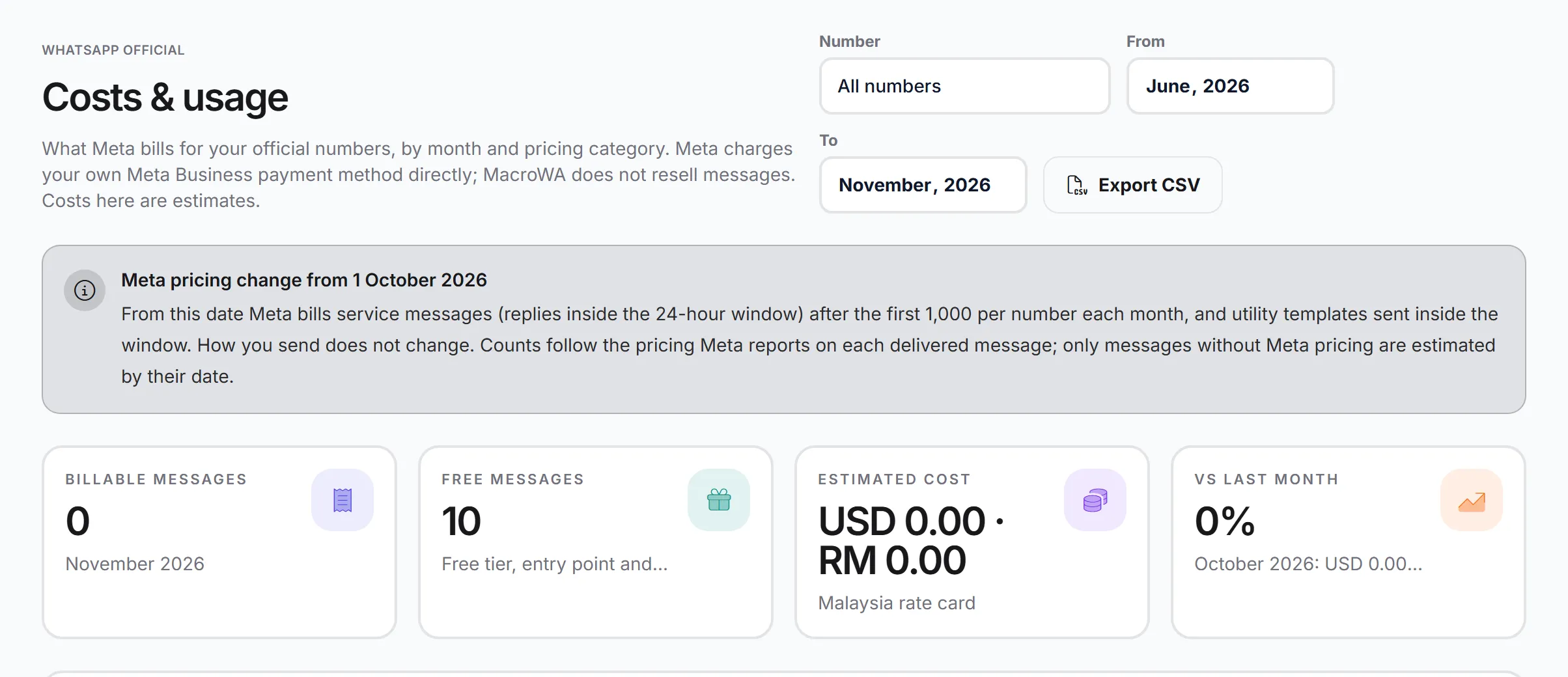
Counts follow the pricing category Meta reports on each delivered message.
Quality rating and messaging limits
Your messaging limit is how many different customers you can message outside the 24-hour window in any rolling 24 hours. Replies to customers who wrote first don’t count, and all numbers in a business portfolio share it. At the time of writing, new portfolios start at 250 and business verification can lift that to 2,000. Meta raises it further when your quality stays high and you use at least half of it within 7 days.
Quality reflects blocks, reports, mutes and archives over the past 7 days. A baju kurung shop that blasts a Raya promo to an old order book will collect blocks fast, and low-rated templates can be paused. Meta requires opt-in, so message people who agreed to hear from your business, and stop when they ask.
The verified business badge
On the official platform, Meta can grant a number Official Business Account status, shown as a blue checkmark beside the business name. Older guides still call it the green tick.
Meta’s conditions include a verified business portfolio, 30 days on the platform, two-step verification, an approved display name and compliance with the WhatsApp Business Messaging Policy. Meta decides each request, and you can reapply after 30 days. Meta also says it does not grant this status to WhatsApp Business App numbers, which matters if you plan on coexistence. No one, MacroWA included, can promise you the badge.
QR quick start or official API: which to choose
| QR quick start | Official API | |
|---|---|---|
| Setup | Scan a QR code, ready in minutes | Embedded Signup: business portfolio, number, display name, payment method |
| Messaging customers first | Campaigns to opted-in contacts, with random delays and quiet hours | Approved templates only, outside the 24-hour window |
| Meta message charges | Meta’s Business Platform pricing does not apply | Per delivered message, paid to Meta |
| WhatsApp Flows forms | No | Yes |
| Blue badge | No | You can apply |
| Good fit | A tuition centre answering parents | A clinic sending reminders at volume |
If most chats start with the customer and you want to begin today, scan the QR code. If you need to message first at volume, send WhatsApp Flows forms or apply for the badge, go official. Both live in the same MacroWA dashboard, so you can add the other later.
How MacroWA helps on the official API
MacroWA connects through Embedded Signup, with coexistence if you want to keep the app. No developer needed. Then:
- Number health shows quality rating, messaging limit tier and account status, with a one-click check against Meta.
- The shared Inbox shows the 24-hour window on every chat, so staff know when a template is needed.
- You create templates, submit them for Meta approval and track their status, then send them from the Inbox, broadcasts and flows.
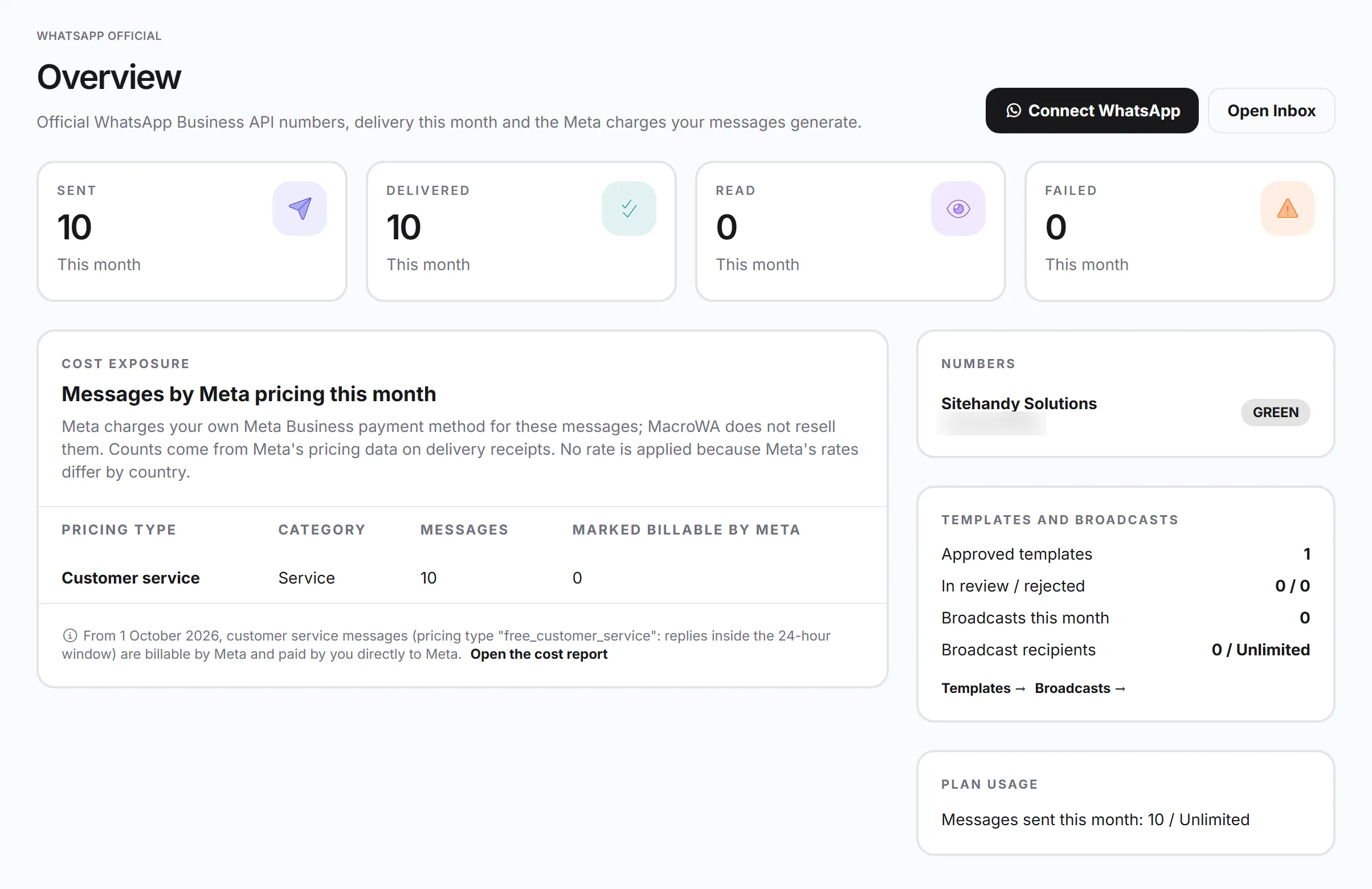
- Broadcasts send approved templates to contact groups on a schedule, with sent, delivered, read and failed counts.
- WhatsApp Flows send Meta forms for bookings or sign-ups, with answers landing in the Inbox and your automations.
- The Costs & usage report splits billable and free messages by category and reconciles them with Meta’s own numbers.
Where to go next
The WhatsApp Business API page lists every feature, and pricing shows what MacroWA plans cover. To plan your replies, read chatbot vs AI agent and WhatsApp automation flows. Questions about your own number? See the FAQ or contact us.